Granting an Inch, Losing a Mile: How App Permission Requests Quietly Hollow Out Your Privacy
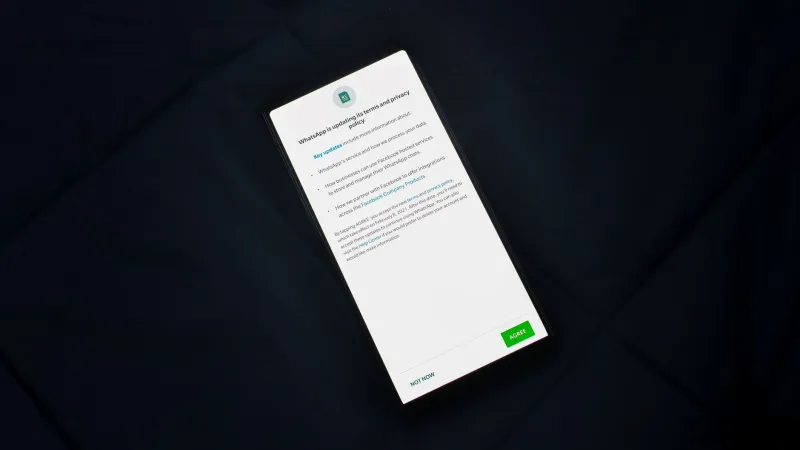
There is a moment most smartphone and PC users know well: an app launches for the first time, a dialog box appears, and a politely worded request asks for access to your location, contacts, microphone, or camera. The phrasing is almost always reassuring. The button is easy to tap. And within seconds, you have handed a piece of yourself to a piece of software — often without a clear understanding of what that piece actually costs you.
This is the opening move in a process researchers and privacy advocates call permission creep: the gradual, systematic expansion of an application's access to your device, your data, and your behavior, typically achieved through a sequence of individually reasonable-seeming requests that collectively amount to comprehensive surveillance.
Understanding how this process works — and how to interrupt it — is one of the most practical privacy skills a PC or mobile user can develop in 2024.
What Permission Creep Actually Means
Permission creep does not usually happen in a single dramatic moment. It is, by design, incremental. An app might request access to your camera on install because it offers a profile photo feature. Three updates later, it requests microphone access for a new voice-search function. A subsequent update adds a background location permission, framed as necessary for a 'personalized experience.' Each individual request appears modest. The cumulative result is an application that can see you, hear you, and track your physical movements — granted access to all three by a user who only wanted to, say, order a sandwich.
The technical scaffolding that enables this escalation is built into the permission architecture of both Android and Windows. On Android, permissions are grouped into categories — location, contacts, storage, phone — and apps can request individual permissions within those groups at different points during their lifecycle, not just at installation. On Windows, applications increasingly leverage the operating system's permission framework to request access to the camera, microphone, location services, and notification systems through prompts that can appear days or weeks after first use.
This staged approach is not accidental. It is a deliberate UX strategy.
The Dark Patterns Behind the 'Allow' Button
The design of permission prompts is rarely neutral. App developers and their monetization partners invest considerable resources in crafting requests that maximize acceptance rates, and the techniques they use borrow directly from the same playbook that consumer protection advocates call dark patterns — interface designs that nudge users toward choices that benefit the company rather than the individual.
Several specific tactics appear with particular frequency:
Contextual timing. Apps often delay permission requests until a moment of peak user engagement. A navigation app waits until you are actively trying to find a route before asking for location access. A social platform asks for contact access just as you are trying to find a friend. At these moments, the cost of declining feels immediate and concrete, while the privacy cost of accepting feels abstract and distant.
Asymmetric framing. Permission dialogs routinely describe the benefits of granting access in specific, positive terms ('Enable location to find restaurants near you') while describing the consequence of declining in vague or negative terms ('Some features may not be available'). The user is never told which features, or why location data is necessary for them.
Bundled requests. Some applications, particularly those built on advertising-dependent revenue models, bundle multiple permissions into a single workflow, making it difficult to accept one without implicitly enabling others. A seemingly routine account setup process may pass through half a dozen permission grants before the user reaches the home screen.
Repeated prompting. Both Android and certain Windows applications are permitted to re-request denied permissions after a waiting period. Apps exploit this by surfacing the same request repeatedly, often with slightly different framing, until user fatigue produces an acceptance.
Real-World Examples Worth Examining
The gap between stated purpose and actual data collection is well-documented across multiple app categories.
Fitness and wellness apps represent one of the more striking examples. While core functionality — step counting, workout logging — requires minimal sensitive data, many popular fitness platforms request access to contacts, location history, and device identifiers. The rationale offered is typically social features or 'personalized coaching,' but the data collected feeds advertising profiles and, in several documented cases, has been sold to third-party data brokers.
Free flashlight and utility apps have a long and well-documented history of requesting permissions — particularly location and contact access — that bear no logical relationship to their advertised function. The FTC has taken action against several such apps in the past, but the category continues to produce new offenders.
Retail and loyalty apps present a more nuanced case. The value exchange — discounts in exchange for purchase data — is at least partially transparent. What is less transparent is the extent to which these apps collect location data continuously in the background, track movement between stores, and share behavioral profiles with advertising networks that have no relationship to the retailer in question.
How to Audit Your App Permissions Right Now
Regardless of whether you are running Windows 11, Android, or iOS, a meaningful permission audit is something you can complete in under thirty minutes. The process is the same in each environment: identify what access each application currently holds, evaluate whether that access is proportionate to the app's function, and revoke anything that fails that test.
On Windows 11, navigate to Settings > Privacy & Security > App Permissions. Each permission category — location, camera, microphone, contacts, calendar — lists every application that has requested access. Work through each category systematically. For each app holding a permission, ask a single question: does this app need this access to perform its core function? If the answer is no, revoke it.
On Android, go to Settings > Privacy > Permission Manager. Android's permission manager allows you to view permissions by category and see exactly which apps hold each type of access, including how recently they used it. The 'location' section deserves particular attention — look for any app set to 'Allow all the time' and consider whether continuous background location access is genuinely necessary.
On iOS, the equivalent path is Settings > Privacy & Security, where each permission type lists its associated apps with granular controls including 'Never,' 'Ask Next Time,' 'While Using the App,' and 'Always.'
Practical Habits That Limit Future Exposure
Auditing existing permissions addresses the current state of your exposure. Preventing future creep requires a shift in default behavior.
Adopt a deny-first posture toward new permission requests. Unless the requested access is obviously necessary for the feature you are actively trying to use at that moment, decline. You can always grant access later if it proves genuinely necessary, and most apps will function adequately with fewer permissions than they request.
Prefer 'While Using the App' over 'Always' for location permissions whenever the option is available. Continuous background location access is rarely necessary for user-facing functionality and is frequently used for behavioral tracking.
Review permissions after every major app update. Updates frequently introduce new permission requests, either through explicit prompts or through changes to the app's background behavior. Treat an app update as a trigger for a quick permission check.
Consider using privacy-focused alternatives to data-hungry applications where practical. The ecosystem of privacy-respecting apps has expanded considerably in recent years, and in many categories — browsers, email clients, map applications — the privacy-respecting option is functionally competitive with its data-collecting counterpart.
The Broader Principle
Permission creep is, at its core, a design philosophy — one that treats user attention and user trust as resources to be consumed rather than respected. Recognizing that philosophy for what it is changes how you read every 'Allow' prompt you encounter. The button is not neutral. It is the product of deliberate choices made by people who had interests in mind that were not yours.
Approaching it with appropriate skepticism is not paranoia. It is the minimum standard of care that the current data environment requires.