Engineered Urgency: How System Alerts and Pop-Up Notifications Are Designed to Override Your Privacy Judgment
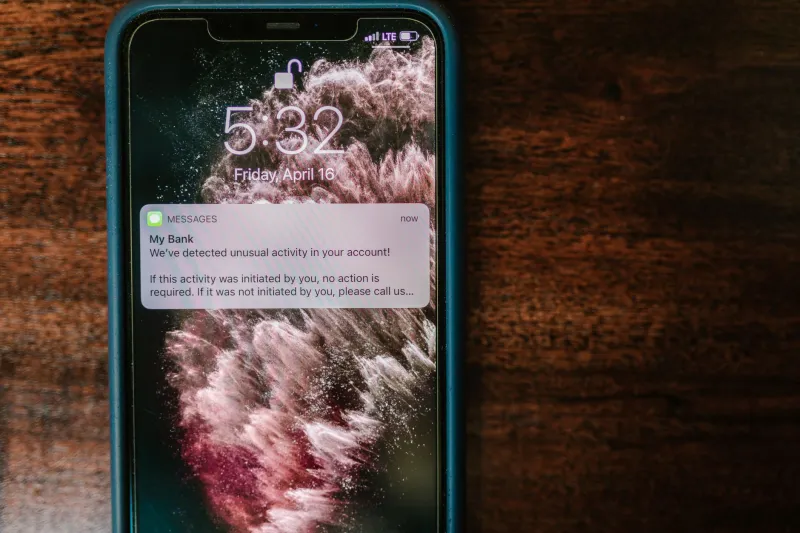
You are in the middle of something important when a notification appears. The language is alarming. The color is red, or orange, or a shade of yellow calibrated to suggest danger without triggering outright panic. A timer is counting down. There are two buttons: one labeled in plain, reassuring text; the other buried in smaller type or styled in a way that makes it feel like the wrong choice. You click the prominent option because you are busy, because the alert implies that delay is dangerous, and because the interface has been engineered to make that particular click feel like the safe and rational response.
This is not a security notification. It is a persuasion mechanism. And it is one of the most effective tools that operating system developers, software vendors, and application publishers use to systematically erode the privacy settings of users who would, under less pressured circumstances, make very different choices.
The Psychology Behind Urgency-Driven Alerts
Behavioral research has consistently demonstrated that individuals under time pressure make decisions that favor immediate comfort over long-term benefit. This is not a character flaw—it is a well-documented cognitive pattern that interface designers exploit deliberately. When a notification creates a sense of urgency, it activates what psychologists refer to as the "fast thinking" system: the reactive, instinct-driven mode of decision-making that prioritizes speed over careful analysis.
Software publishers understand this dynamic intimately. A notification that reads "Your device may be at risk—act now" is not informing you; it is triggering a threat response. Once that response is active, the user's capacity for critical evaluation of the accompanying options diminishes substantially. The choice presented alongside the alarm—frequently one that involves accepting broader data collection, enabling cloud sync, or granting expanded permissions—is made in a cognitive state that is poorly suited to evaluating privacy trade-offs.
This is not theoretical. A 2019 study published in the journal Computers in Human Behavior found that users presented with high-urgency security warnings were significantly more likely to accept default settings, regardless of what those defaults actually entailed, compared to users who received the same information in a calm, non-urgent format.
How Windows Uses Notification Design to Normalize Data Sharing
Windows 10 and Windows 11 have refined notification-based consent solicitation into a near-seamless system. The Windows "experience" is punctuated at key moments—immediately after setup, following major updates, and at seemingly random intervals during normal use—by prompts that invite users to enable features that carry significant privacy implications.
The "Sign in with Microsoft" prompt that appears repeatedly during Windows 11 setup is a studied example. The interface presents a local account option, but it requires navigating away from the primary flow and, in some versions, clicking through options that are not intuitively labeled. The Microsoft account path, by contrast, is the default and visually dominant choice. The privacy implications—including syncing of settings, browsing history, and activity logs to Microsoft's servers—are not surfaced at the point of decision.
Similarly, Windows Security notifications frequently accompany legitimate security alerts with bundled offers to enable "optional" features such as SmartScreen telemetry sharing or "enhanced" protection modes that involve sending file samples to Microsoft's cloud. These offers appear within the same visual context as genuine threat warnings, borrowing the credibility of the security alert to lower the user's resistance to the accompanying data-sharing request.
Windows Update notifications employ comparable mechanics. The urgency of keeping a system current—a legitimate security concern—is leveraged to push users through update flows that, without careful attention, result in reset privacy settings. It is well-documented among privacy researchers that major Windows updates have a history of reverting user-configured privacy settings to their defaults, a pattern that transforms every update into an implicit re-consent solicitation.
macOS and the Veneer of Elegance
Apple's macOS is frequently perceived as more privacy-respecting than Windows, and in certain respects that reputation is earned. However, the platform employs its own version of notification-based behavioral nudging, often with greater sophistication because it operates within an interface that users associate with trustworthiness.
The macOS onboarding flow for new users and major OS upgrades presents a sequence of prompts related to iCloud, Siri, location services, and analytics sharing. Each prompt is individually presented in Apple's characteristic clean aesthetic, which confers an impression of transparency and good faith. The default option in each case, however, is the one that maximizes Apple's data collection. Opting out requires actively declining at each step—a process that many users, fatigued by the sequence of prompts, abandon partway through.
Third-party applications distributed through the Mac App Store employ notification permission requests that are governed by Apple's framework but not by any requirement to present the request in a context-neutral way. Applications frequently time their notification permission requests to coincide with moments of positive user engagement—immediately after a successful action within the app—exploiting the elevated receptivity that accompanies a favorable user experience.
Recognizing the Patterns: A Field Guide to Manipulative Notifications
Developing the ability to identify manipulative notification design is a practical skill, not an abstract one. The following patterns appear consistently across platforms and applications and should trigger deliberate scrutiny rather than reflexive response.
Artificial urgency. Legitimate security alerts rarely require action within a countdown timer. Genuine threats—malware, active intrusions, hardware failures—do not resolve themselves based on whether you click a button in the next thirty seconds. Any notification that imposes a countdown on a privacy or permission decision is almost certainly manufactured urgency.
Asymmetric button design. When the "accept" or "enable" option is prominently styled and the "decline" or "not now" option is grayed out, minimized, or absent from the primary view, the interface is designed to produce a specific outcome. Locate the less prominent option before making any decision.
Bundled consent. A notification that addresses a legitimate concern—a genuine security update, for example—but includes an additional opt-in for data sharing within the same dialog is bundling consent. The two issues should be evaluated separately. Accepting the security update does not require accepting the data-sharing component.
Fear-adjacent language. Phrases such as "your device is unprotected," "you may be at risk," or "critical action required" in the context of a permission request rather than a genuine threat are designed to activate threat-response cognition. Pause, read the actual permission being requested, and evaluate it independently of the emotional framing.
Reclaiming Intentional Control
Countering notification-based manipulation does not require abandoning all alerts—many serve genuine and valuable purposes. It requires developing a consistent practice of deliberate engagement.
For Windows users, the Focus Assist feature (now called Do Not Disturb in Windows 11) can suppress non-critical notifications during defined periods, creating space for more considered responses. Notification settings in Windows allow per-application control over which apps can display alerts, enabling users to silence known offenders while preserving alerts from trusted security tools.
On macOS, Notification Center preferences provide granular control over notification style, timing, and source. Reviewing and restricting notification permissions for applications that have no legitimate need to interrupt the user experience is a straightforward exercise that pays consistent dividends.
For both platforms, the most effective protective habit is the simplest: when a notification requests a privacy-relevant decision, close it without acting, open the relevant settings menu directly, and make the decision in a context you control rather than one designed to produce a specific outcome.
The notification is not a neutral messenger. It is an interface element designed by a party with interests that may not align with yours. Treating it accordingly—with measured skepticism rather than reflexive compliance—is among the most practical privacy disciplines available to any user.