Permission Granted, Privacy Surrendered: The Hidden Data Economy Behind Your Push Notifications
The Alert That Knows Too Much
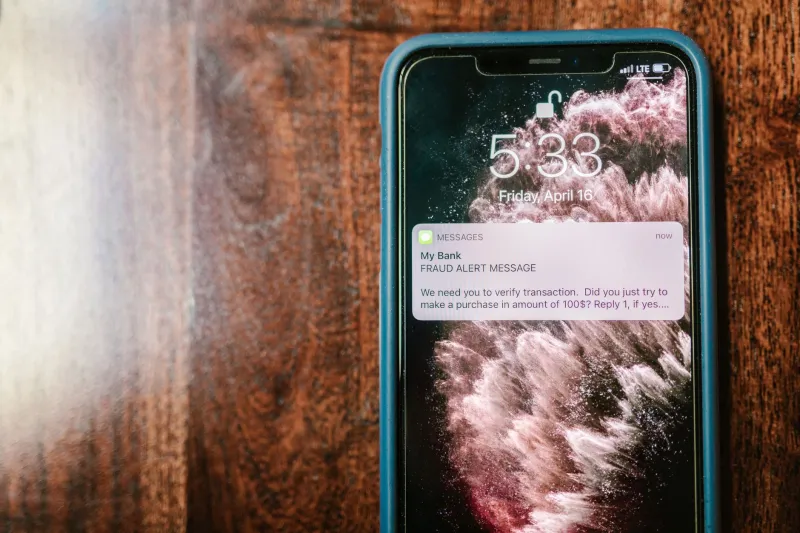
Every day, the average American smartphone user receives dozens of push notifications — sale alerts from retailers, breaking news headlines, social media pings, reminder nudges from apps they barely use. Each one feels trivial on its own. Collectively, they form something far more significant: a continuous, timestamped record of your attention, your location, your habits, and, in some cases, your emotional vulnerabilities.
The push notification has evolved well beyond its original purpose. What began as a simple mechanism for delivering timely information has been systematically repurposed by app developers and their advertising partners into a data collection instrument of considerable sophistication. Understanding how this works — and what it costs you — is essential for anyone serious about protecting their digital life.
What Notification Permissions Actually Unlock
When an app requests permission to send you notifications, most users interpret that as a one-way arrangement: the app sends, you receive. The reality is considerably more complex.
Granting notification access frequently enables a cluster of associated data collection activities. Many apps use the moment of notification delivery — and your response to it — as a trigger for location pings. If a retail app sends you a coupon alert and you open it, the app may simultaneously log your GPS coordinates, your device's IP address, and the local time. Over weeks and months, this builds a granular map of where you go and when.
Beyond location, notification interaction data reveals behavioral patterns that advertising platforms find enormously valuable. Which alerts do you open immediately? Which do you dismiss? At what hour are you most responsive? Do you engage more with emotionally charged headlines or straightforward informational prompts? These response patterns are analyzed to construct what the industry calls an "engagement profile" — a model of your psychological tendencies that can be used to serve you increasingly targeted content and advertising.
Some platforms go further still. Mental health apps, news aggregators, and social media services have been documented using notification timing strategies explicitly designed to reach users during moments of heightened emotional susceptibility — late at night, early in the morning, or immediately following a stressful news cycle. The data collected during these interactions carries particular commercial value because emotionally activated users are statistically more likely to click, purchase, or share.
The Psychology Engineered Into Every Alert
Notification design is not accidental. Major app developers employ teams of behavioral scientists and UX researchers whose explicit objective is to maximize what the industry calls "notification opt-in rates" and "re-engagement." The language, timing, color, and urgency framing of notification prompts are A/B tested extensively before deployment.
The permission request itself is a carefully constructed psychological moment. Apps frequently time their notification permission prompts to appear immediately after a positive user experience — after you complete a satisfying interaction, finish a level in a game, or receive a compliment on a social platform. This technique, sometimes called "priming," exploits the goodwill generated by the positive experience to lower your resistance to granting permissions you might otherwise decline.
Some apps employ a two-step approach: they first present a custom in-app prompt explaining the supposed benefits of notifications before triggering the official operating system permission dialog. This pre-framing increases opt-in rates substantially, because by the time the system dialog appears, users have already mentally committed to agreeing.
Auditing Your Notification Permissions
The first practical step toward reclaiming control is conducting a thorough audit of which apps currently hold notification permissions on your devices. The process is straightforward on both major mobile platforms.
On iOS (iPhone/iPad): Navigate to Settings > Notifications. You will see a complete list of every app that has been granted notification access, along with granular controls for alert style, sounds, badges, and lock screen visibility. Critically, review the "Allow Notifications" toggle for each app and consider whether the benefit genuinely justifies the access.
On Android: The path varies slightly by manufacturer, but generally navigate to Settings > Apps > [App Name] > Notifications. Android 13 and later versions introduced a stricter notification permission model that requires explicit user approval, which is a meaningful improvement — but only if you approach those prompts with deliberate scrutiny rather than reflexive approval.
On Windows PCs: Open Settings > System > Notifications. Many desktop applications, including browsers and productivity tools, request notification permissions that operate through similar data-sharing frameworks as their mobile counterparts. The Windows notification audit is frequently overlooked and worth prioritizing.
During your audit, apply a straightforward test to each app: Does the value I receive from this app's notifications justify giving it a recurring, timestamped signal of my attention and, in many cases, my location? For most apps, the honest answer is no.
A Framework for Evaluating Notification Permissions
Rather than approaching notification permissions reactively, consider adopting a structured evaluation framework before granting access to any new app.
Ask what the app does with notification interaction data. Review the app's privacy policy — specifically the sections covering analytics, advertising partners, and data sharing. If the policy is vague or grants broad latitude to share "usage data" with third parties, treat notification permission as a meaningful privacy concession.
Consider whether push delivery is genuinely necessary. Many notifications deliver information that could just as easily be retrieved manually when you choose to open the app. Weather updates, sports scores, and news headlines rarely require real-time delivery. Reserve notification access for apps where timely alerts carry genuine, irreplaceable utility — two-factor authentication apps, calendar reminders, and direct personal communications are reasonable examples.
Evaluate the app's business model. Free apps monetize through data and advertising. A free retail, lifestyle, or entertainment app requesting notification access is, in most cases, requesting a recurring data collection channel. Treat that request accordingly.
Revisit permissions periodically. App updates frequently introduce new data practices, and permissions granted a year ago may carry different implications today. A quarterly notification audit is a practical and low-effort habit.
Reducing Exposure Without Eliminating Utility
The objective is not to disable all notifications indiscriminately. For users who rely on certain alerts, a tiered approach is more sustainable. Retain notification access for applications where the utility is demonstrably high and the privacy risk is lower — native operating system apps, banking security alerts, and calendar applications from providers with strong, auditable privacy commitments.
For third-party apps where the data practices are opaque, consider using the app's in-app notification settings rather than the operating system level. This can sometimes limit what data is transmitted during the notification interaction, though it is not a guaranteed protection.
VPN users should also be aware that notification-triggered location pings can, in some configurations, bypass VPN tunnels entirely, particularly on mobile devices. If location privacy is a priority, review your VPN provider's guidance on preventing such leakage.
The Notification as a Window Into Your Life
Push notifications occupy a peculiar position in the modern privacy landscape. They are simultaneously one of the most widely accepted intrusions into daily digital life and one of the least scrutinized. Their familiarity has made them effectively invisible as a threat vector.
Approaching notification permissions with the same deliberate skepticism you would apply to any other data-sharing request is not paranoia — it is sound digital hygiene. Every alert you allow is, to varying degrees, a window left open into your behavior, your location, and your attention. Deciding which windows are worth opening, and on your terms, is a foundational act of digital self-protection.