Reset Is Not a Shredder: The 30-Minute Donation Test I Ran on an Old Windows 11 Laptop
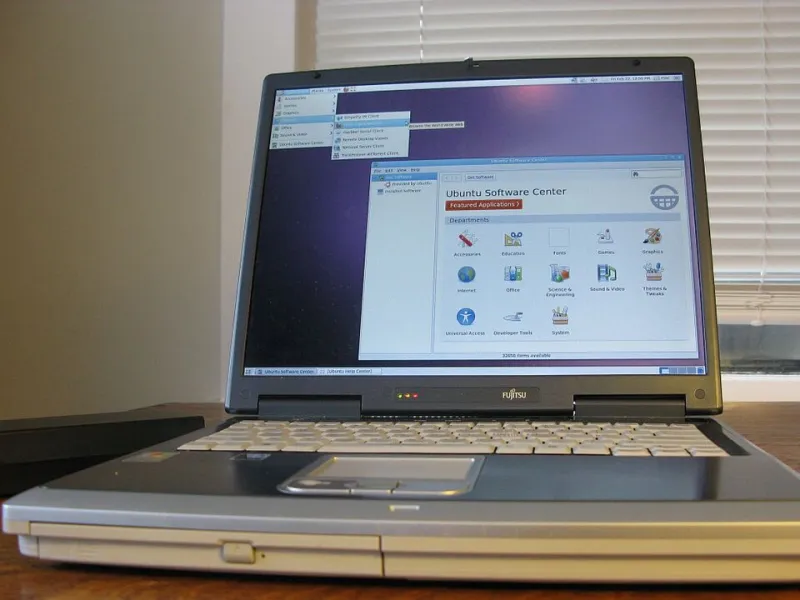
Photo: Intel Free Press, CC BY-SA 2.0, via Wikimedia Commons
Every holiday season, someone in my neighborhood posts the same thing: old laptop, free to a good home, factory reset already done. That last part is supposed to be the reassuring bit. After spending an afternoon testing a reset on a seven-year-old Lenovo IdeaPad, I can tell you it is only half the job.
A Windows 11 reset is good at removing your files from the place you can see. It is less good at cleaning up the places you forgot: your Microsoft account device list, an old BitLocker recovery key, browser sync profiles, and whatever the recovery tool finds when you scan the drive from another PC. None of that is exotic. It is just the stuff most of us skip when we are trying to get a box out the door before the trash pickup.
I timed the hands-on portion at 30 minutes. The reset itself ran for about two hours while I did other things. If you are donating a PC this month, here is the version I would repeat.
Decide what nothing actually means
For a donation, nothing should mean no personal files, no account links, no saved passwords, no Wi-Fi history, and no recovery key sitting in a cloud account with your name on it. It does not mean the drive has been through a government-grade shredder. For a consumer hand-me-down, that is usually fine. I just wanted to know what was left before I gave it away.
I also stopped treating the factory reset as a magic trick. On a solid-state drive, Windows may trim or overwrite data over time, and a reset can make files hard to recover. But hard is not impossible, and a reset does not automatically untangle your Microsoft account from the machine. That is the part I wanted to test.
The 30-minute clock starts before the reset
First, I backed up the few files I wanted and then assumed everything else was disposable. If you still need something, copy it before you touch the reset menu. This is not a backup guide, and a donation wipe is a bad time to discover that your tax PDFs only existed on the desktop.
Next, I opened Edge and Chrome and turned off sync. In Edge, that meant going into the profile settings and signing out. In Chrome, I turned off sync and signed out of the Google account. This matters because a reset can remove the local browser profile while the synced copy stays in the cloud. If you hand the laptop to someone who signs in with your old profile, or if you leave a browser signed in during the reset, you have created a mess that a wipe screen will not fix.
I also opened my password manager and revoked the laptop as a trusted device. Same idea: the local copy is going away, but the account may still list the device as active.
Then I checked BitLocker. On Windows 11, device encryption lives under Settings > Privacy & security > Device encryption. On some PCs it is the older BitLocker control panel. If encryption is on, save the recovery key somewhere you can reach it before you reset, because the reset may ask for it. After the machine is wiped and verified, go back to your Microsoft account and delete the old recovery key. A key for a laptop you no longer own is just clutter with a security label on it.
Reset settings that do the actual work
I used Settings > System > Recovery > Reset this PC, then chose Remove everything. Do not choose Keep my files. That option is for fixing a PC you are going to keep, not for donating one.
On the next screen, I picked a local reinstall and opened Change settings to turn on Clean data. That toggle tells Windows to do more than a quick format. It also makes the reset take longer. My two-hour estimate is not a guarantee; a bigger drive or a slower machine can stretch it out. The 30-minute figure is the part where you are actually clicking and checking things, not the part where Windows is churning.
When the reset asked for the BitLocker key, I entered it. If you cannot find the key, stop and deal with that before you promise the laptop to anyone. Do not guess your way through encryption prompts.
At the end, Windows restarted into the out-of-box setup screen. I did not sign in with my Microsoft account. I powered the laptop down at the region screen. A donor does not need my name on the first local account. If you are handing the PC to a family member, create their local account later or let them do it.
Clean up the accounts after the wipe
This is the step I used to skip, and it is the one that made the biggest difference. After the reset, I went to account.microsoft.com/devices and removed the laptop from my device list. I also checked the BitLocker recovery key page and deleted the old key for that machine.
Then I checked browser sync again. In Chrome, I looked at my Google account's device list and removed the old laptop if it was still hanging around. In Edge, I checked my Microsoft account devices. I did not delete my whole browser profile, just the stale device entries. That is enough for a donation, and it keeps you from nuking settings on the PC you are actually using.
One more pass: I opened my password manager and confirmed the laptop was gone from saved devices. If you use a Microsoft account for Windows sign-in, also check Find my device and turn off anything that still points at the old machine.
The verification pass that made me relax
The reset looked clean. I still did not trust it. I pulled the SSD, put it in a USB enclosure, and scanned it from my main desktop with Recuva. That is a free recovery tool from Piriform, and it is about as consumer-friendly as this kind of check gets. I was not looking for Windows setup files. I was looking for filenames, photo thumbnails, and document fragments from my old profile.
Recuva found no recoverable personal files. It did find some Windows log scraps and setup leftovers, which is normal after a reset. I also ran a quick scan with PhotoRec on the same drive for a second opinion. That one is more technical, but it is free and it does not care about the file system. It found nothing that looked like my old files.
A recovery scan cannot prove a negative. It is a smoke test, not a forensic report. But it is a lot better than trusting the reset screen and hoping. If you cannot pull the drive, ask a local repair shop to run a recovery scan before you donate. It is usually cheap, and it gives you a straight answer.
What I would do differently next time
I would start earlier. The Clean data reset is not a lunch-break task. I would also write down the BitLocker key before I begin instead of hunting for it halfway through. And I would remove the device from my Microsoft account before I take the laptop to the donation center, not after, so I cannot forget.
The laptop ended up with a neighbor's kid, set up with a local account and no trace of my old profile. That is the bar I want for a holiday hand-me-down. A reset is a good start. The account cleanup and the recovery scan are what make it a donation instead of a gamble.